
Bleib organisiert mit intelligenten Ordnern
Halte deine Lernmaterialien perfekt organisiert. Erstelle benutzerdefinierte Ordner für jedes Fach, Semester oder Projekt, um deinen digitalen Arbeitsplatz aufgeräumt und effizient zu halten.
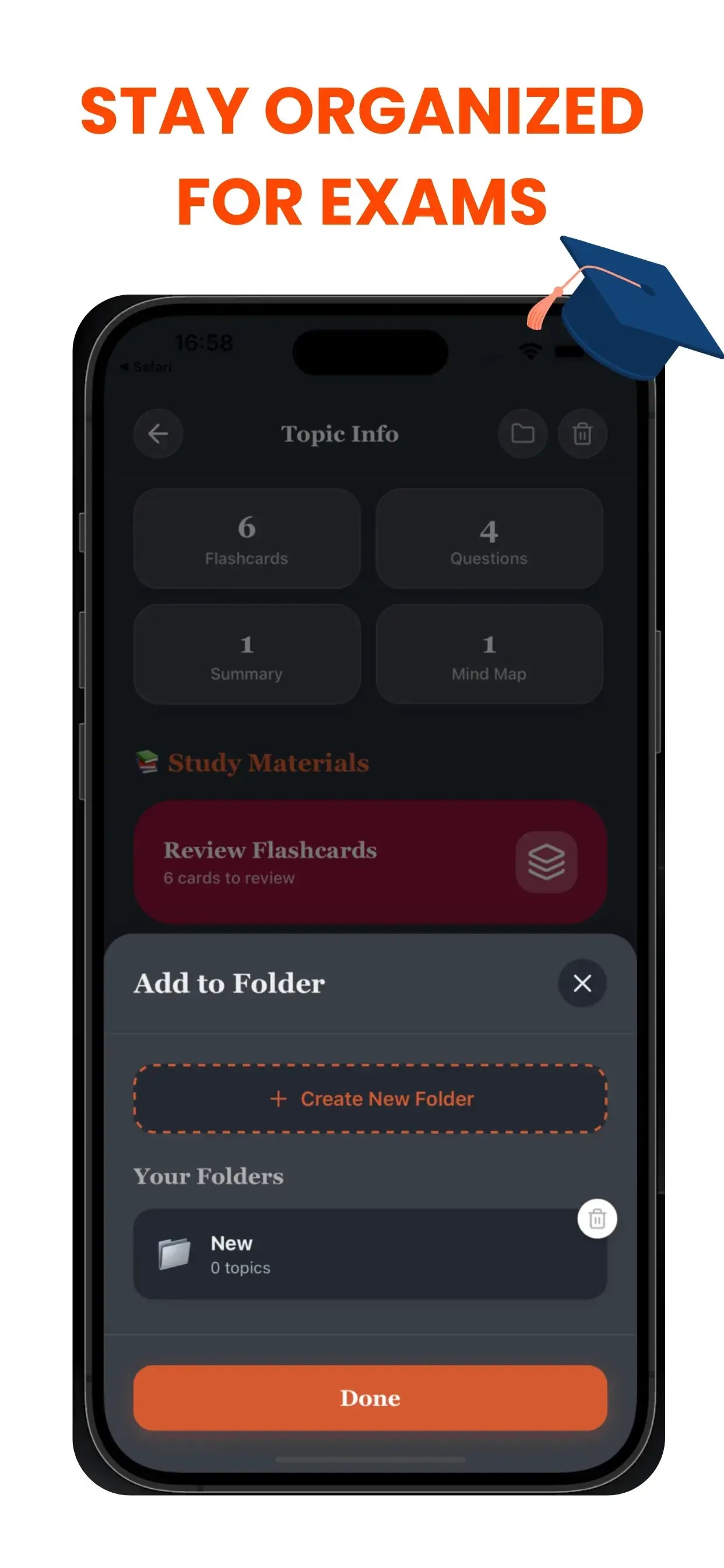
Der Chaos-Killer für Studenten
Ein unaufgeräumter digitaler Arbeitsplatz führt zu einem unaufgeräumten Geist. Wenn du in einem Meer von unbenannten Dateien ertrinkst (Unbenannt_1.pdf, Audio_Final.mp3), verschwendest du kognitive Energie nur damit, deine Sachen zu suchen. TikoNotes Intelligentes Ordnersystem schafft eine logische Hierarchie für dein akademisches Leben.
Projektbasierter Arbeitsablauf
Erstelle dedizierte Notizbücher oder Ordner für spezifische Bedürfnisse:
- Nach Kurs: "Biologie 101", "Europäische Geschichte".
- Nach Ziel: "Endprüfungsvorbereitung", "Thesis-Recherche".
- Nach Format: "Vorlesungs-Audio", "Lehrbuch-Zusammenfassungen".
Verliere nie wieder eine Notiz
Wenn du neuen KI-Inhalt generierst, kannst du ihn sofort dem richtigen Ordner zuweisen. Unsere saubere, intuitive Oberfläche stellt sicher, dass deine Karteikarten, Quizze und Zusammenfassungen genau dort sind, wo du sie erwartest. Verbringe weniger Zeit mit Suchen und mehr Zeit mit Lernen.
Project-Based workflow
Create dedicated notebooks or folders for specific needs:
- By Course: "Biology 101", "European History".
- By Goal: "Finals Week Prep", "Thesis Research".
- By Format: "Lecture Audio", "Textbook Summaries".
Never Lose a Note Again
As you generate new AI content, you can instantly assign it to the correct folder. Our clean, intuitive interface ensures that your flashcards, quizzes, and summaries live exactly where you expect them to be. Spend less time searching and more time studying.
Häufig gestellte Fragen zu Smart Folders
- Wie generiert TikoNote Smart Folders aus meinen Dateien?
- Lade ein PDF, eine Audioaufnahme oder einen YouTube-Link hoch und TikoNote erstellt automatisch in unter einer Minute alle Lernmaterialien.
- Welche Dateiformate unterstützt TikoNote?
- TikoNote unterstützt PDF, DOCX, PPTX, Audiodateien (MP3, WAV), MP4-Videos und YouTube-Links.
- Ist TikoNote kostenlos?
- TikoNote bietet einen kostenlosen Plan für deine erste Notiz. Premium-Pläne beginnen bei 9,99 $/Monat für unbegrenzte Generierungen.
- Funktioniert TikoNote in mehreren Sprachen?
- Ja. TikoNote verarbeitet Inhalte in über 12 Sprachen und gibt Ergebnisse in der Sprache deines Quelldokuments aus.
- Kann ich TikoNote auf dem Smartphone nutzen?
- Ja. TikoNote bietet iOS- und Android-Apps sowie eine vollständige Web-Version, die auf allen Geräten synchronisiert wird.
Bereit, intelligenter zu lernen?
Schließen Sie sich Tausenden von Studenten an, die TikoNote verwenden, um ihre Prüfungen mit weniger Stress zu meistern.