
Restez Organisé avec les Dossiers Intelligents
Gardez votre matériel d'étude parfaitement organisé. Créez des dossiers personnalisés pour chaque matière, semestre ou projet pour garder votre espace de travail numérique sans encombrement et efficace.
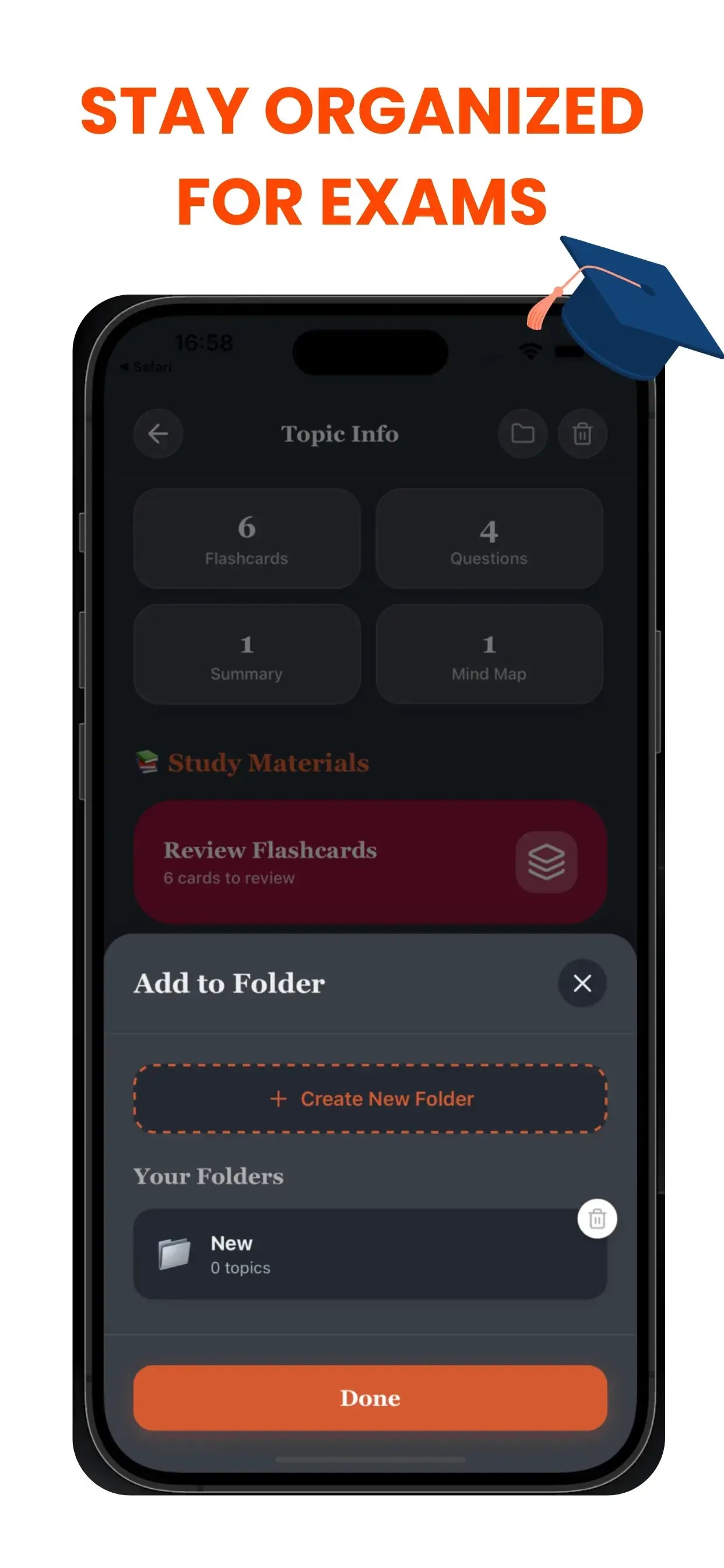
Le Tueur de Chaos pour les Étudiants
Un espace de travail numérique encombré mène à un esprit encombré. Si vous vous noyez dans une mer de fichiers sans nom (Sans_titre_1.pdf, Audio_Final.mp3), vous gaspillez de l'énergie cognitive juste à chercher vos affaires. Le système de Dossiers Intelligents de TikoNote crée une hiérarchie logique pour votre vie académique.
Flux de Travail Basé sur les Projets
Créez des carnets ou dossiers dédiés pour des besoins spécifiques :
- Par Cours : « Biologie 101 », « Histoire Européenne ».
- Par Objectif : « Préparation Semaine des Examens », « Recherche de Thèse ».
- Par Format : « Audio de Cours », « Résumés de Manuels ».
Ne Perdez Plus Jamais une Note
Lorsque vous générez du nouveau contenu IA, vous pouvez instantanément l'assigner au bon dossier. Notre interface propre et intuitive garantit que vos cartes mémoire, quiz et résumés vivent exactement là où vous vous attendez à les trouver. Passez moins de temps à chercher et plus de temps à étudier.
Project-Based workflow
Create dedicated notebooks or folders for specific needs:
- By Course: "Biology 101", "European History".
- By Goal: "Finals Week Prep", "Thesis Research".
- By Format: "Lecture Audio", "Textbook Summaries".
Never Lose a Note Again
As you generate new AI content, you can instantly assign it to the correct folder. Our clean, intuitive interface ensures that your flashcards, quizzes, and summaries live exactly where you expect them to be. Spend less time searching and more time studying.
Questions fréquentes sur les dossiers intelligents
- Comment TikoNote génère-t-il les dossiers intelligents depuis mes fichiers ?
- Importez n'importe quel PDF, enregistrement audio ou lien YouTube et TikoNote génère automatiquement les outils d'étude en moins d'une minute.
- TikoNote prend-il en charge plusieurs formats de fichiers ?
- Oui. TikoNote accepte les PDF, DOCX, PPTX, fichiers audio (MP3, WAV), vidéos MP4 et liens YouTube.
- TikoNote est-il gratuit ?
- TikoNote propose un plan gratuit pour votre première note. Les plans Premium débutent à 9,99 $/mois pour des générations illimitées.
- TikoNote fonctionne-t-il en plusieurs langues ?
- Oui. TikoNote traite le contenu dans plus de 12 langues et génère les résultats dans la langue de votre document source.
- Puis-je utiliser TikoNote sur mobile ?
- Oui. TikoNote dispose d'applications iOS et Android, ainsi qu'une version web complète synchronisée sur tous vos appareils.
Prêt à étudier plus intelligemment ?
Rejoignez des milliers d'étudiants qui utilisent TikoNote pour réussir leurs examens avec moins de stress.