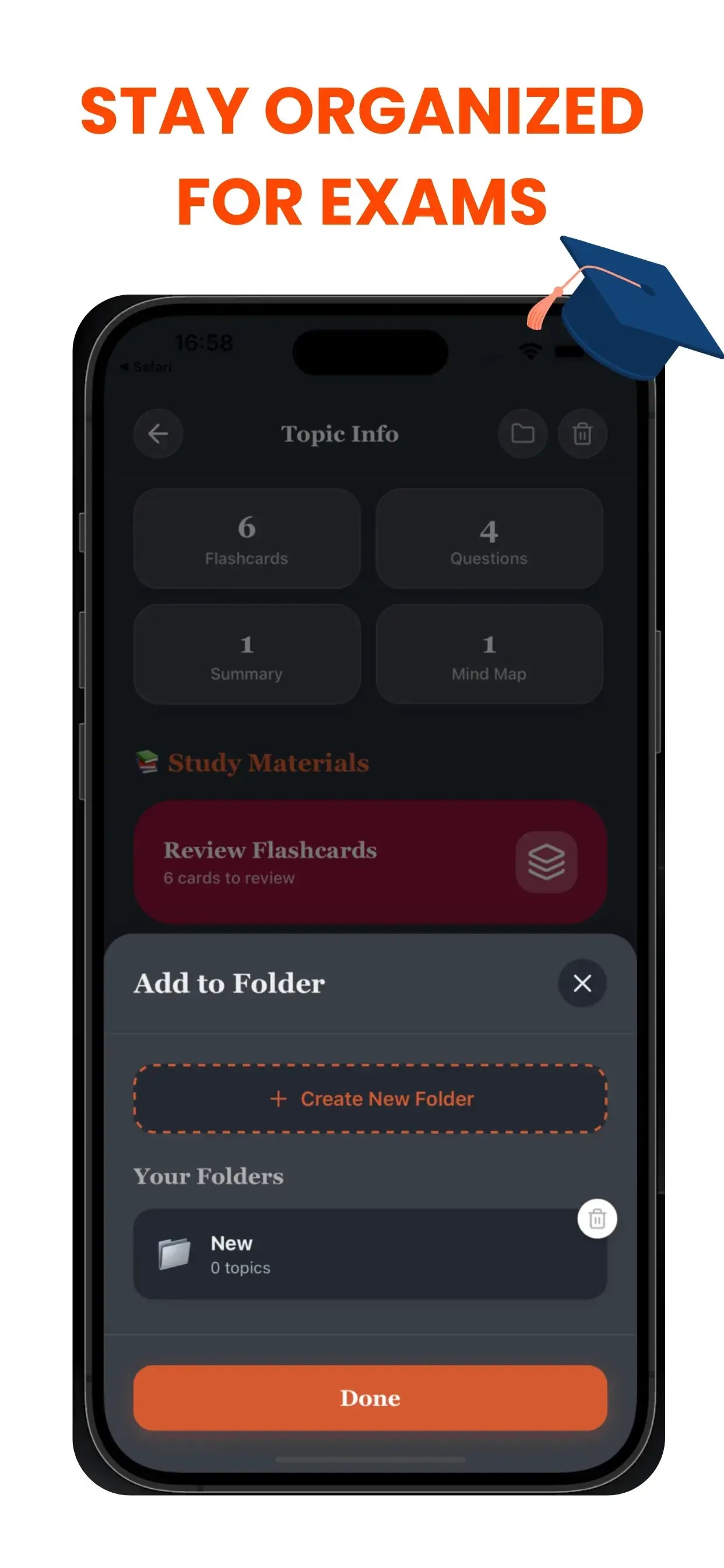
学生のための「混沌解消」ツール
デジタルワークスペースの乱れは思考の乱れにつながります。名前のないファイル(Untitled_1.pdf, Audio_Final.mp3など)の海に溺れているなら、資料を探すだけでエネルギーを浪費しています。TikoNoteのスマートフォルダシステムは、あなたの学問生活に論理的な階層構造を作ります。
プロジェクトベースのワークフロー
特定のニーズに合わせて専用のノートやフォルダを作成できます:
- 科目別: 「生物学101」、「世界史」
- 目標別: 「期末試験対策」、「論文調査」
- 形式別: 「講義音声」、「教科書要約」
二度とノートを失くさない
新しいAIコンテンツを生成したら、すぐに適切なフォルダに割り当てることができます。クリーンで直感的なインターフェースにより、単語カード、クイズ、要約が期待通りの場所に保存されます。探す時間を減らし、学ぶ時間を増やしましょう。
Project-Based workflow
Create dedicated notebooks or folders for specific needs:
- By Course: "Biology 101", "European History".
- By Goal: "Finals Week Prep", "Thesis Research".
- By Format: "Lecture Audio", "Textbook Summaries".
Never Lose a Note Again
As you generate new AI content, you can instantly assign it to the correct folder. Our clean, intuitive interface ensures that your flashcards, quizzes, and summaries live exactly where you expect them to be. Spend less time searching and more time studying.
The Hidden Cost of Disorganised Study Materials
Research on student productivity finds the average university student spends 20–30 minutes per study session just finding the right materials before they can start studying. Across an academic year, this adds up to 60+ hours lost to file management. TikoNote's Smart Folders eliminate this entirely by automatically organising all your generated content — flashcard decks, mind maps, quizzes, and summaries — by subject, module, and topic without any manual input.
How Smart Folders Work
When you upload a file, TikoNote's AI reads the content and automatically assigns it to the correct subject folder, creates sub-folders by topic if needed, and links all generated outputs to the original source file. Add a biochemistry PDF and it appears under Biology → Biochemistry alongside your previously uploaded lecture audio on the same topic — automatically.
Smart Folders also surface related content you might have forgotten. When you open a folder for an upcoming exam, TikoNote shows all relevant content — including notes from three months ago — in one place.
Smart Folders for Different Study Workflows
Semester management: Create a top-level folder for each semester; let TikoNote auto-sort modules within it.
Exam revision: Pin highest-priority content. Smart Folders flag decks that haven't been reviewed recently before exam week.
Research projects: Upload research papers and TikoNote clusters them by theme, showing which topics you've covered and which need more reading.
Long-term retention: Smart Folders maintain your entire academic library across years, making it easy to retrieve materials when a topic resurfaces in an advanced course.
Frequently Asked Questions
- How does TikoNote decide which folder to put a file in?
- TikoNote reads your uploaded file and uses AI to identify the subject, module, and key topics, then matches them to existing folders or creates new ones — no manual tagging required.
- Can I override the automatic folder assignment?
- Yes. Drag files between folders, rename auto-created folders, or merge folders. Manual overrides are remembered for future uploads.
- Are Smart Folders synced across devices?
- Yes. Smart Folders sync in real time across all devices — desktop browser, iOS, and Android. Your entire library is available wherever you study.
- Can I share a Smart Folder with classmates?
- Yes. Share a folder via link to give classmates access to all notes, flashcards, and mind maps inside — ideal for sharing module materials across a study group.
- Is there a storage limit?
- The free plan includes storage for your first note. Premium plans from $9.99/month include unlimited storage across all your Smart Folders.