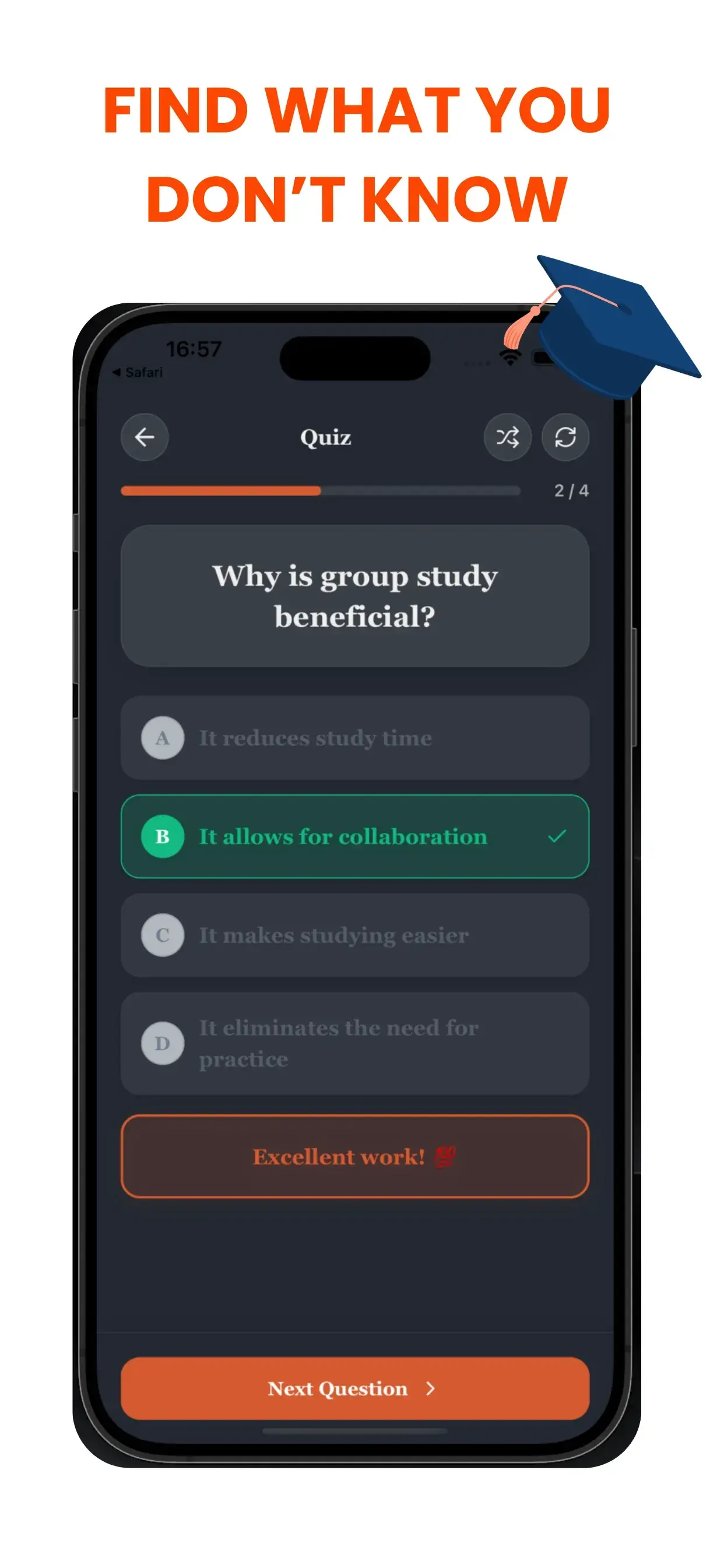
추측하지 말고, 확실히 아세요.
시험에서 가장 불안한 부분은 무엇이 나올지 모른다는 것입니다. TikoNote는 소스 자료에서 직접 관련 퀴즈 질문을 생성하여 이러한 두려움을 없애줍니다. 사실상 시험 전에 시험을 치르는 것과 같습니다.
즉각적인 피드백 루프
질문을 틀리면 TikoNote는 즉시 이유를 설명해 줍니다. 이 즉각적인 피드백 루프는 잘못된 개념을 조기에 수정하여 잘못된 정보를 기억하는 것을 방지하는 데 매우 중요합니다.
심층 학습을 위한 적응형 난이도
빠른 "점검용" 퀴즈가 필요하든 심층적인 도전이 필요하든, TikoNote의 퀴즈는 콘텐츠에 맞춰 조정됩니다. 다음과 같은 유형을 생성합니다:
- 객관식 문제 (MCQ): 빠른 사실 확인에 좋습니다.
- 참/거짓: 기본 개념 이해도 테스트.
- 단답형: 개념을 자신의 말로 표현하게 하여 깊은 이해를 돕습니다.
The Immediate Feedback Loop
When you get a question wrong, TikoNote explains why immediately. This instant feedback loop is crucial for correcting misconceptions early preventing you from memorizing incorrect information.
Adaptive Difficulty for Deep Learning
Whether you need a quick "sanity check" quiz or a deep-dive challenge, TikoNote's quizzes adapt to your content. We generate:
- Multiple Choice Questions (MCQs): Great for fast fact-checking.
- True/False: Testing fundamental understanding.
- Short Answer: Forcing you to articulate concepts in your own words for deep understanding.
Why Practice Testing is the Most Effective Study Strategy
The "testing effect" — retrieval practice — is one of the most replicated findings in cognitive psychology. A 2011 study in Science found students who practised retrieval via testing outperformed those who used concept maps or re-reading on delayed tests by a significant margin. TikoNote's AI quiz generator applies this evidence-based method to your specific course content automatically.
Types of Quiz Questions TikoNote Generates
Multiple Choice (MCQ): 4-option questions with one correct answer and 3 plausible distractors — the format used in most university exams, USMLE, bar exams, and GCSE/A-Level papers.
True or False: Binary questions targeting common misconceptions — effective for clearing up errors before exam day.
Short Answer: Open-ended questions requiring written recall — the hardest format and most effective for deep retention.
Fill-in-the-Blank: Cloze-deletion questions testing specific terminology, formulas, and definitions from your material.
Step-by-Step: Generating a Quiz
- Upload your file — PDF, PPTX, DOCX, audio recording, or YouTube link.
- Select Quiz — choose question types (MCQ, True/False, Short Answer).
- Set difficulty — Easy, Medium, or Hard adjusts question specificity.
- Take the quiz — immediate feedback shows correct answers with source explanations.
- Review weak areas — incorrect questions are flagged for follow-up flashcard review.
Frequently Asked Questions
- Can TikoNote generate quiz questions from audio recordings?
- Yes. Record lecture audio directly in TikoNote or upload an MP3/MP4 file. The AI transcribes and generates quiz questions from the spoken content.
- How many questions does TikoNote generate per document?
- Typically 20–40 questions per standard lecture. You can adjust the target count before generating.
- Does TikoNote show explanations for wrong answers?
- Yes. Every incorrect answer includes an explanation referencing the relevant section of your source material.
- Can I simulate my actual exam with TikoNote?
- Yes. Set a time limit and question count matching your real exam, then take it in distraction-free mode. TikoNote scores and highlights weak areas.
- Is there a limit to how many quizzes I can generate?
- The free plan includes your first quiz generation. Premium plans from $9.99/month allow unlimited quiz generation from any number of files.