
Mantenha-se Organizado com Pastas Inteligentes
Mantenha seus materiais de estudo perfeitamente organizados. Crie pastas personalizadas para cada matéria, semestre ou projeto para manter seu espaço de trabalho digital livre de desordem e eficiente.
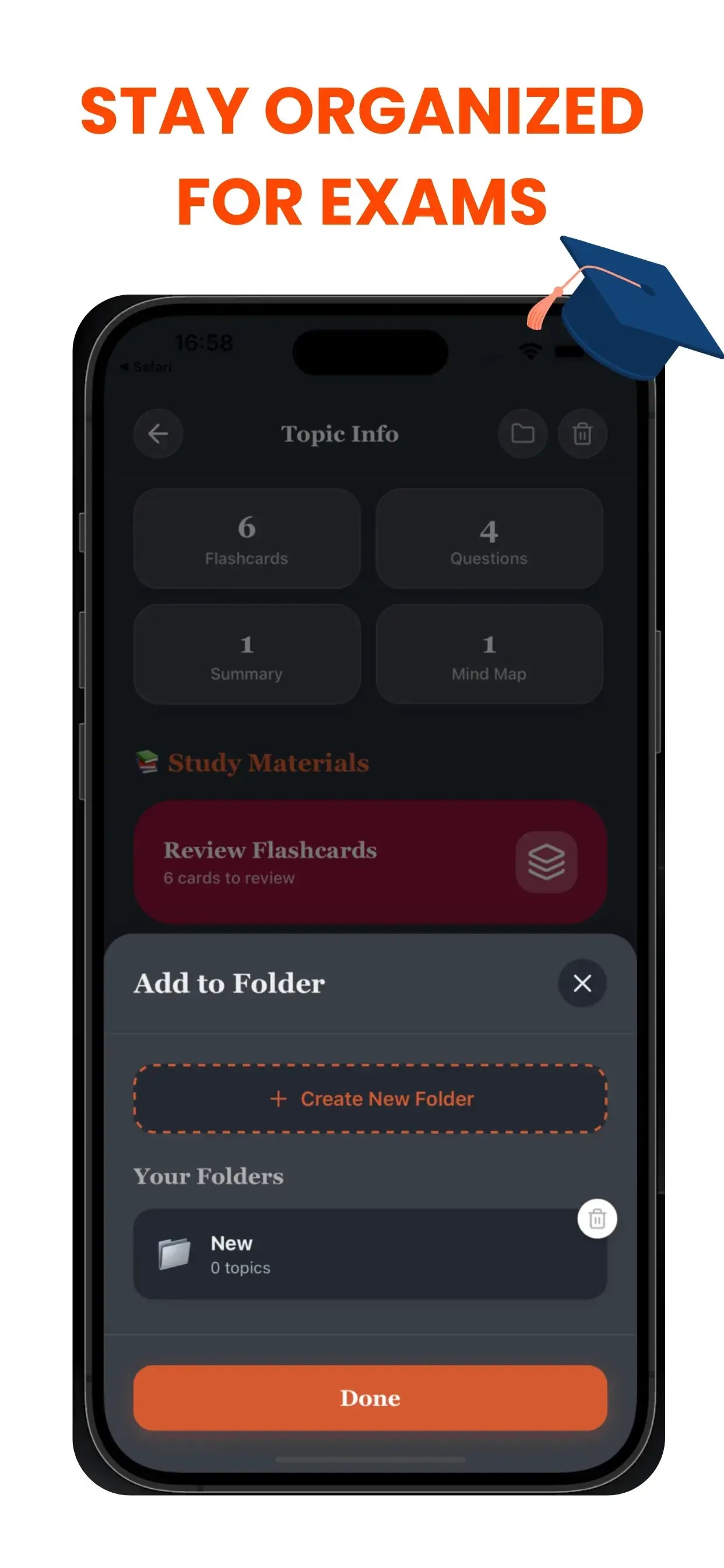
O Aniquilador de Caos para Estudantes
Um espaço de trabalho digital bagunçado leva a uma mente bagunçada. Se você está afogando em um mar de arquivos sem nome (Sem_título_1.pdf, Áudio_Final.mp3), você está desperdiçando energia cognitiva apenas procurando suas coisas. O sistema de Pastas Inteligentes do TikoNote cria uma hierarquia lógica para sua vida acadêmica.
Fluxo de Trabalho Baseado em Projeto
Crie cadernos ou pastas dedicadas para necessidades específicas:
- Por Curso: "Biologia 101", "História Europeia".
- Por Objetivo: "Preparação para Provas Finais", "Pesquisa de Tese".
- Por Formato: "Áudios de Aulas", "Resumos de Livros".
Nunca Mais Perca uma Anotação
À medida que você gera novo conteúdo de IA, você pode instantaneamente atribuí-lo à pasta correta. Nossa interface limpa e intuitiva garante que seus flashcards, quizzes e resumos fiquem exatamente onde você espera que estejam. Gaste menos tempo procurando e mais tempo estudando.
Project-Based workflow
Create dedicated notebooks or folders for specific needs:
- By Course: "Biology 101", "European History".
- By Goal: "Finals Week Prep", "Thesis Research".
- By Format: "Lecture Audio", "Textbook Summaries".
Never Lose a Note Again
As you generate new AI content, you can instantly assign it to the correct folder. Our clean, intuitive interface ensures that your flashcards, quizzes, and summaries live exactly where you expect them to be. Spend less time searching and more time studying.
Perguntas frequentes sobre as pastas inteligentes
- Como o TikoNote gera as pastas inteligentes a partir dos meus ficheiros?
- Carregue qualquer PDF, gravação de áudio ou link do YouTube e o TikoNote gera automaticamente os materiais de estudo em menos de um minuto.
- Que formatos de ficheiro o TikoNote suporta?
- O TikoNote suporta PDF, DOCX, PPTX, ficheiros de áudio (MP3, WAV), vídeos MP4 e links do YouTube.
- O TikoNote é gratuito?
- O TikoNote tem um plano gratuito para a sua primeira nota. Os planos Premium começam em $9,99/mês para gerações ilimitadas.
- O TikoNote funciona em vários idiomas?
- Sim. O TikoNote processa conteúdo em mais de 12 idiomas e gera resultados no idioma do seu documento fonte.
- Posso usar o TikoNote no telemóvel?
- Sim. O TikoNote tem aplicações para iOS e Android, além de uma versão web completa sincronizada em todos os dispositivos.
Pronto para estudar de forma mais inteligente?
Junte-se a milhares de estudantes usando TikoNote para arrasar nos exames com menos estresse.