TikoNote 是一款 AI 驱动的学习应用,帮助学生把课堂录音、PDF、视频和笔记,自动生成闪卡、练习题、摘要和思维导图。专为更快掌握知识、更持久记忆、考试高分而设计。

AI 驱动的学习应用,帮助学生学习效率提升 10 倍。从任何内容自动生成闪卡、练习题、摘要和思维导图。

所有功能

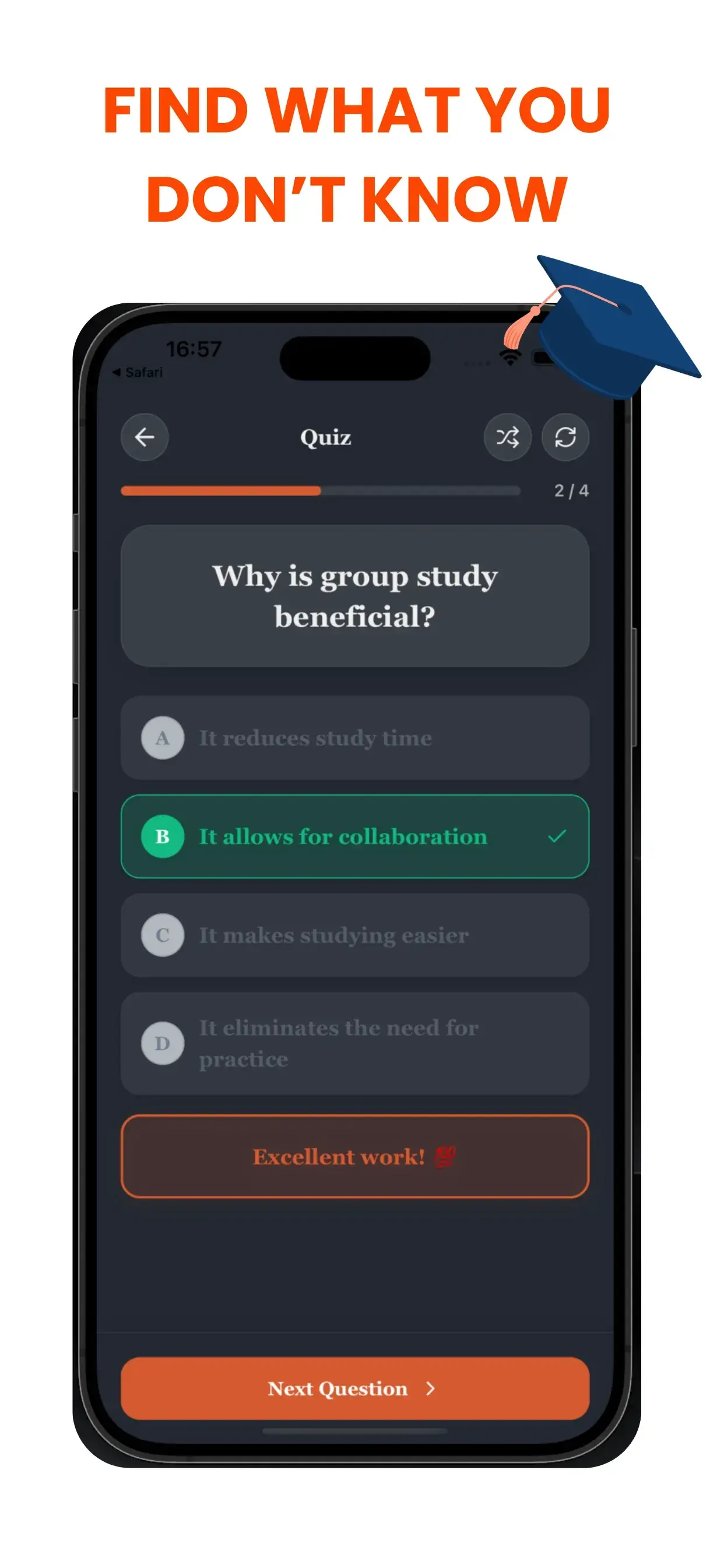
通过 AI 练习题测试你的知识

从你的学习材料自动生成模拟考试和多选题。使用 TikoNote 识别知识盲点并模拟真实测试环境。

通过 AI 练习题测试你的知识
模拟真实考试环境
即时获得答案反馈
自动识别薄弱环节
支持多种题型

不要只靠猜——要真正掌握。

考试中最让人焦虑的部分是不确定会考什么。TikoNote 通过直接从你的原始资料生成相关的练习题,消除了这种恐惧。你实际上是在正式考试之前进行考试。

即时反馈循环

当你答错问题时,TikoNote 会立即解释原因。这种即时反馈循环对于早期纠正误解至关重要,防止你死记硬背错误信息。

自适应难度的深度学习

无论你需要快速的“常识检查”还是深入的挑战,TikoNote 的练习题都能适应你的内容。我们生成:

  • 多选题 (MCQs): 非常适合快速查漏补缺。
  • 判断题: 测试基础理解。
  • 简答题: 强制你用自己的话阐述概念,以达到深度理解。

The Immediate Feedback Loop

When you get a question wrong, TikoNote explains why immediately. This instant feedback loop is crucial for correcting misconceptions early preventing you from memorizing incorrect information.

Adaptive Difficulty for Deep Learning

Whether you need a quick "sanity check" quiz or a deep-dive challenge, TikoNote's quizzes adapt to your content. We generate:

  • Multiple Choice Questions (MCQs): Great for fast fact-checking.
  • True/False: Testing fundamental understanding.
  • Short Answer: Forcing you to articulate concepts in your own words for deep understanding.

Why Practice Testing is the Most Effective Study Strategy

The "testing effect" — retrieval practice — is one of the most replicated findings in cognitive psychology. A 2011 study in Science found students who practised retrieval via testing outperformed those who used concept maps or re-reading on delayed tests by a significant margin. TikoNote's AI quiz generator applies this evidence-based method to your specific course content automatically.

Types of Quiz Questions TikoNote Generates

Multiple Choice (MCQ): 4-option questions with one correct answer and 3 plausible distractors — the format used in most university exams, USMLE, bar exams, and GCSE/A-Level papers.

True or False: Binary questions targeting common misconceptions — effective for clearing up errors before exam day.

Short Answer: Open-ended questions requiring written recall — the hardest format and most effective for deep retention.

Fill-in-the-Blank: Cloze-deletion questions testing specific terminology, formulas, and definitions from your material.

Step-by-Step: Generating a Quiz

  1. Upload your file — PDF, PPTX, DOCX, audio recording, or YouTube link.
  2. Select Quiz — choose question types (MCQ, True/False, Short Answer).
  3. Set difficulty — Easy, Medium, or Hard adjusts question specificity.
  4. Take the quiz — immediate feedback shows correct answers with source explanations.
  5. Review weak areas — incorrect questions are flagged for follow-up flashcard review.

Frequently Asked Questions

Can TikoNote generate quiz questions from audio recordings?
Yes. Record lecture audio directly in TikoNote or upload an MP3/MP4 file. The AI transcribes and generates quiz questions from the spoken content.
How many questions does TikoNote generate per document?
Typically 20–40 questions per standard lecture. You can adjust the target count before generating.
Does TikoNote show explanations for wrong answers?
Yes. Every incorrect answer includes an explanation referencing the relevant section of your source material.
Can I simulate my actual exam with TikoNote?
Yes. Set a time limit and question count matching your real exam, then take it in distraction-free mode. TikoNote scores and highlights weak areas.
Is there a limit to how many quizzes I can generate?
The free plan includes your first quiz generation. Premium plans from $9.99/month allow unlimited quiz generation from any number of files.

准备好开始高效学习了吗?

加入数千名学生,用 TikoNote 轻松备考,告别备考焦虑。