
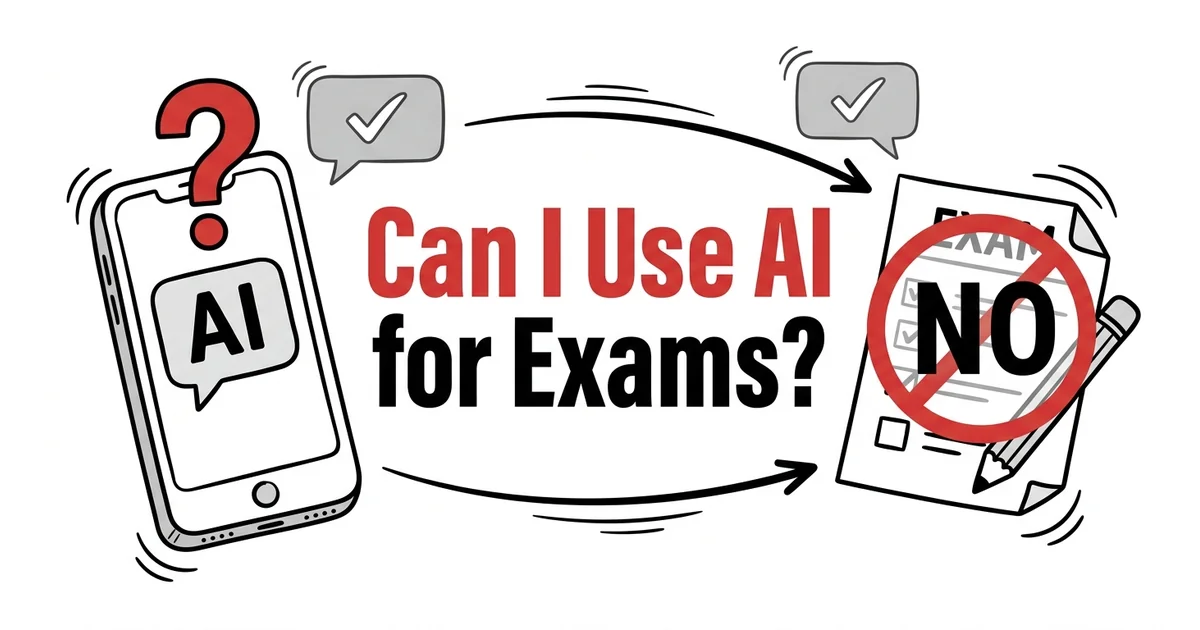
Can I Use AI Apps for Exams? What's Allowed vs. What's Not
This is the question every student is asking in 2026 — and it doesn't have a single answer.
Whether you can use an AI app during an exam depends on three things: your institution's policy, your course's specific rules, and what kind of AI tool you're referring to. A spaced repetition app that helped you prepare is very different from ChatGPT generating your answers in real time.
This guide breaks down each category clearly.
The Short Answer
During graded, in-person exams:
- AI tutors and answer generators (ChatGPT, Claude, Gemini, etc.): Almost universally prohibited. Using them constitutes academic misconduct at virtually every institution.
- Spaced repetition / flashcard apps (TikoNote, Anki, Quizlet): Prohibited for use during exams — they're study tools, not test tools. Using them in-exam is a phone/device violation.
- Basic calculators: Permitted in many STEM courses — check your specific exam instructions.
- Wolfram Alpha / computational AI: Generally prohibited unless explicitly permitted by your instructor.
For preparation before exams: AI study apps are widely encouraged and pose no integrity issues — that's what they're for.
What's Allowed: AI Tools for Studying (Before the Exam)
These are legitimate study tools. Using them to prepare is encouraged — not a gray area.
AI Study Apps for Exam Prep (✅ Allowed)
TikoNote — Upload your course materials (PDFs, lectures, YouTube videos) and generate AI flashcards, practice quizzes, and structured notes for studying. Zero integrity concerns: you're using AI to help you learn the material, not to generate exam answers.
Anki — Flashcard app with spaced repetition scheduling. Completely legitimate study tool.
Quizlet — Creating and reviewing flashcard sets before exams is standard study practice.
Khan Academy / Khanmigo — AI tutoring for understanding concepts. Entirely appropriate and encouraged.
ChatGPT (for studying) — Asking ChatGPT to explain a concept, quiz you, or help you understand a process before your exam is legitimate studying. The line is using it to generate answers during a graded assessment.
NotebookLM — Chatting with your uploaded course materials to understand them better before an exam is studying.
What's Not Allowed: AI During Graded Assessments
Generative AI for Answer Generation (❌ Prohibited)
Using ChatGPT, Claude, Gemini, or any generative AI to produce answers during an in-person or online exam is academic misconduct at virtually every institution.
This applies even if:
- The exam is take-home (unless explicitly permitted)
- The questions are multiple choice (if the policy prohibits AI assistance)
- You "just used it to check" your answer
- The professor hasn't said anything specifically about AI
The rule of thumb: If the assessment is designed to evaluate your knowledge and critical thinking, AI-generated content is not your knowledge.
Real-Time AI Assistance in Online Exams (❌ Prohibited)
Many universities now use proctoring software (Respondus, ProctorU, Honorlock) that detects browser tab switching, screen sharing, and phone activity. Using AI assistance during a proctored online exam:
- Triggers flags in proctoring software
- Constitutes academic misconduct
- Can result in a zero, course failure, or suspension depending on your institution's policy
AI-Generated Essays Submitted as Your Own Work (❌ Prohibited)
Submitting AI-generated text as your own written work — for essays, short answers, lab reports — is plagiarism under most academic integrity policies, regardless of whether your institution has a specific "AI policy." The issue is misrepresentation of authorship, which plagiarism policies have always covered.
The Gray Area: What Varies by Institution and Course
Take-Home Exams
Policies vary enormously. Some professors explicitly allow AI assistance ("use any resources you want — just cite them"). Others explicitly prohibit it. Many say nothing, which creates ambiguity.
What to do: Check your syllabus. If the policy is unclear, ask your professor before starting the exam — not after you've already used AI.
Open-Note and Open-Book Exams
Many open-note/open-book exams explicitly list what resources are permitted. "Open book" usually means your class notes and textbook — it doesn't automatically include AI assistance.
AI-Permitted Assignments
Some instructors now explicitly permit AI assistance with attribution requirements. These assignments are genuinely different — the learning objective is using AI effectively, not demonstrating unaided mastery. If your instructor permits AI with citation, you're in the clear.
Wolfram Alpha and Advanced Calculators
Computational tools like Wolfram Alpha occupy a different category from generative AI. Some STEM courses permit them; others don't. Specific exam instructions govern this — if the instructions say "calculator permitted," confirm whether Wolfram Alpha counts as a "calculator" for that course.
How Schools Detect AI Use in 2026
AI detection tools: Tools like Turnitin AI Detection, GPTZero, and Copyleaks analyze text for statistical patterns associated with AI generation. They're not perfect — false positives exist — but they flag suspected AI content for instructor review.
Proctoring software: Respondus LockDown Browser, Honorlock, and ProctorU flag tab switches, phone activity, and screen sharing during online exams.
Your own knowledge: The most common way AI use is detected in oral exams, viva voce assessments, and follow-up questions is that a student cannot explain what they submitted. If you can't defend your answer, your instructor will notice.
Inconsistency with prior work: If your exam responses are substantially better-written than your in-class work, this flags review. AI detection isn't just software — instructors know their students' writing.
The Practical Distinction: Study vs. Assessment
The most useful frame for students is this:
| Situation | AI Use | Verdict |
|---|---|---|
| Studying for exams using flashcard apps | TikoNote, Anki, Quizlet | ✅ Encouraged |
| Getting concept explanations before exam | ChatGPT, Khanmigo | ✅ Legitimate studying |
| Generating practice questions before exam | ChatGPT, TikoNote | ✅ Good study practice |
| Using ChatGPT during an in-person exam | Any AI | ❌ Academic misconduct |
| Using AI to write take-home exam responses | Any generative AI | ❌ Unless explicitly permitted |
| Submitting AI-generated essay as your work | Any generative AI | ❌ Plagiarism / misconduct |
| Using calculator during calculator-allowed exam | Wolfram Alpha | ⚠️ Confirm with instructor |
What to Do if You're Unsure
Before the exam:
1. Read your syllabus section on academic integrity and AI policy
2. Check your institution's general academic integrity policy
3. If still unclear, email your professor: "I wanted to confirm whether AI assistance is permitted for [this specific assessment]."
Most professors appreciate students asking — it demonstrates integrity and prevents misunderstandings that could end your academic career.
Frequently Asked Questions
Can I use AI apps for exams?
Spaced repetition and AI study apps (TikoNote, Anki, Quizlet) are tools for preparing for exams — not for using during exams. Using any device-based AI tool during an in-person exam violates both AI policy and typical device policies. For take-home or online exams, the policy varies — check your syllabus and ask your instructor.
Is using ChatGPT on an exam cheating?
At virtually every institution, using ChatGPT to generate answers during a graded exam is academic misconduct. The distinction is using AI to learn (legitimate) versus using AI to produce assessed work (misconduct). If the exam is measuring your knowledge, AI-generated answers misrepresent whose knowledge is being assessed.
What AI tools are allowed during exams?
Most institutions allow no AI tools during in-person exams. Calculators are permitted where specified by exam instructions. Wolfram Alpha and computational AI require explicit instructor permission. No generative AI (ChatGPT, Claude, etc.) is permitted in standard exam conditions.
What happens if you get caught using AI on an exam?
Consequences range from a zero on the assessment to course failure to suspension or expulsion, depending on your institution's policy and the severity. Most institutions treat AI misconduct the same as plagiarism — it's a serious academic integrity violation.
Can professors detect AI use?
Yes, with varying reliability. AI detection software (Turnitin, GPTZero) flags probable AI-generated text. Proctoring software flags device activity during online exams. The most reliable detection is instructor familiarity with a student's prior work and their inability to explain their submitted content.
The right time to use AI is before exams — not during them. TikoNote helps you convert your course materials into active study sessions — flashcards, quizzes, and an AI tutor that identifies your knowledge gaps before exam day. Start free →
Put this into practice — right now.
Upload a PDF, lecture slide, or YouTube link. TikoNote instantly generates quizzes, flashcards, and a Feynman session from your own material — not generic internet content.
- ✓ Works on any PDF, video, or audio
- ✓ Active recall built-in — not passive summaries
- ✓ Used by 50,000+ students
Written by TikoNote Team
AI learning researchers & cognitive science enthusiasts building tools that help students study smarter with evidence-based methods like active recall, spaced repetition, and the Feynman Technique.